
DJ rekordbox – DJ App & Mixer
AlphaTheta CorporationMusic & Audio
4.6277.00 Reviews
- Version
- 4.6.28.40
- Installs
- 1.00M
- Age Rating
- Everyone
Screenshots
Our Review of DJ rekordbox – DJ App & Mixer
 Analysis by Appyee
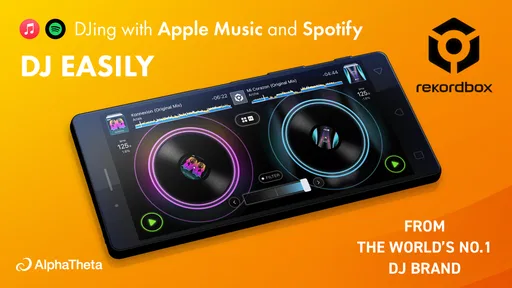
If you’re opening a DJ app for the first time, the hardest part is often knowing what to do before the music starts. DJ rekordbox – DJ App & Mixer is a mobile mixing app from AlphaTheta Corporation, and I’d approach it as a place to practise listening, timing and transitions rather than as a magic button for making a polished set. You can begin casually, with songs you already enjoy, then decide whether you want to spend time learning the controls. That makes it less intimidating than a full desktop setup, though a phone-sized screen still asks you to work deliberately.
What to expect from a phone-based DJ setup
The app sits in the Music & Audio category, but it serves a more focused purpose than a conventional music player: it gives you a way to work with tracks as a DJ. Its central appeal is having two songs to bring together and a compact set of mixing tools available on a phone. I wouldn’t expect the screen to feel like a laptop controller or a physical mixer. Instead, think of it as a convenient practice space for trying combinations and getting a feel for how one track can hand over to another.
That distinction matters when choosing what to play on. A phone is handy for exploring an idea on the bus or showing a friend a transition, but small touch controls can make fine adjustments less comfortable than working with hardware. Headphones are useful for listening closely, and a quiet room is a better place to learn what a change actually does. For a first session, pick two familiar songs with a steady section in common; knowing the music makes it easier to notice timing than starting with unfamiliar tracks.
At the time of writing, the app is free to install, has an Everyone age rating, and offers in-app purchases priced from $2.99 to $49.99 per item. Its average rating is 4.6 from around 15,000 ratings, with over one million installs. Those figures suggest that plenty of people have tried it, but they don’t tell you whether its touch-based approach will suit your hands or the way you like to practise. I’d treat the free starting point as a chance to test the workflow before paying for anything.
A calmer first setup
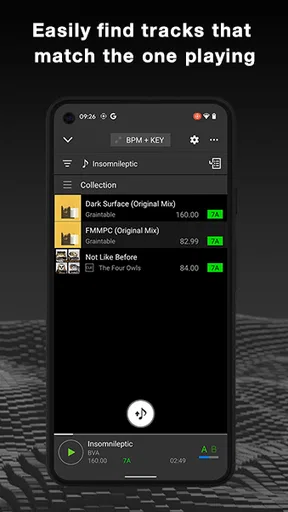
When you first open it, take a moment to look around instead of trying every control at once. The interface is designed to make the main mixing area approachable, and that helps if complex layouts usually put you off. Your first practical task is choosing music you can access in the app and getting two tracks ready to compare. The store summary emphasizes mixing songs from playlists, so having a playlist in mind gives you a straightforward starting point rather than leaving you to search for a perfect track on the spot.
Keep the first pair simple. Choose songs whose beats are easy to follow, and listen to a short stretch of each before attempting a transition. Don’t begin with a favourite track that you’d be annoyed to mangle; use music you know well enough to recognize when the handover feels abrupt. This is a small but useful way to reduce the learning curve: you’re practising a musical decision, not trying to learn the interface and decode unfamiliar arrangements at the same time.
It’s also sensible to check that your chosen music is actually available to you before planning a set around it. Playlist-based mixing is convenient, but it does not remove the need to organize what you want to play. A short practice playlist with a few compatible choices is easier to manage than scrolling through a large library while the music is running. I’d treat playlist preparation as part of DJ practice, not as boring admin to postpone until later.
Your first satisfying mix
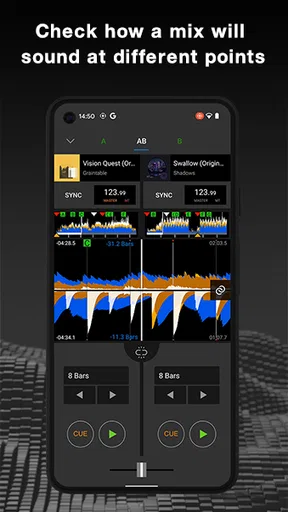
For a first win, aim for a clean handover rather than a complicated performance. Start one track, cue up another, and listen for a section where the second song can enter without competing with a vocal or a major change in the first. Bring it in gradually, then move the mix toward the new track. The exact controls are something to learn by trying them, but the listening goal is simple: the change should feel intentional, and the beat should not suddenly lurch away from you.
One practical tip is to practise the same transition more than once. On the first attempt, you may be watching the screen so closely that you miss how the songs sound together. On the next pass, pay attention to the beat; after that, listen for whether the outgoing vocal clashes with the incoming one. Changing only one thing per attempt makes it easier to understand what helped. That method is more useful than piling on effects before you can hear the basic blend.
Once you can make a handover that sounds comfortable, save the idea in your memory rather than assuming every pair of songs will behave the same way. A transition that works between two steady sections might fall apart when one song has a long vocal phrase or a sudden drop. I’d use the app to build a small mental library of reliable combinations, then try variations when you have time to listen carefully.
Where the learning curve shows up
Some confusion is normal because DJing involves more than pressing play on two songs. A transition can sound wrong even when you chose tracks you like: their beats may not line up, their energy may differ, or both may be demanding attention at once. When that happens, don’t assume you have missed a hidden setting. Try another section, lower the ambition of the blend, or choose a different pair. Matching musical moments is often the real work.
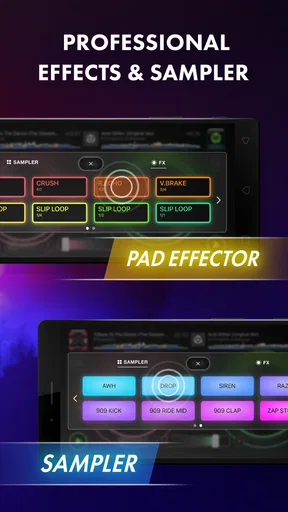
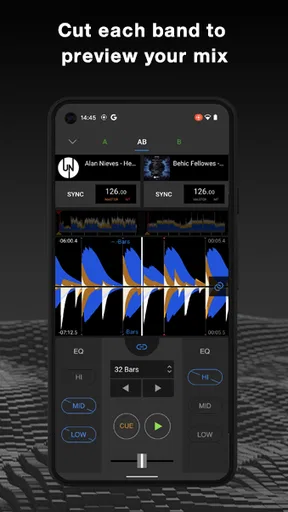
Effects and sampler sounds can make a mix more personal, but I’d leave them for later. They are most useful when you already know what the underlying transition needs; otherwise, they can cover up timing problems without fixing them. A good beginner exercise is to make a transition that sounds clear with no extra decoration, then add one effect and decide whether it genuinely improves the moment. Restraint is a skill, not a lack of creativity.
There is a trade-off in learning on a phone. Touch controls make it easy to practise almost anywhere, but the screen can feel crowded when you want to make several precise changes while keeping an ear on both tracks. If your goal is to perform for a crowd or develop muscle memory on physical controls, a dedicated controller and a larger setup may be a better next step. If your goal is to explore song choices and practise basic timing during spare moments, the phone format is a sensible place to begin.
Getting Into the Groove
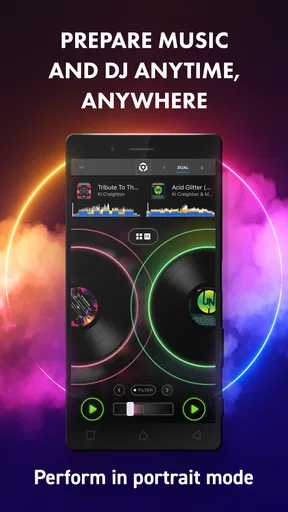
First things first, let’s talk about the user interface. When you open DJ rekordbox, you’re greeted with a sleek and intuitive design. It’s super easy to navigate, which is a big win if you’re like me and get overwhelmed by complex interfaces. Everything is laid out in a way that makes sense, so you can focus on what matters most: the music!
Features That Rock
Now, let’s get into the nitty-gritty. One of the standout features is the ability to sync your tracks seamlessly. This is perfect if you want to keep the party going without missing a beat. Plus, the app offers a range of effects that let you add your personal touch to any track.
Another cool feature is the sampler. You can incorporate different sounds and beats to create something truly unique. It’s like having a mini studio at your fingertips. And if you’re aiming for perfection, the app’s precise controls let you tweak every little detail to get the sound just right.
The Perks of Going Mobile
One of the best things about DJ rekordbox is its portability. You can mix and create anywhere, anytime. Whether you’re at a friend’s house or chilling in the park, all you need is your phone and some headphones.
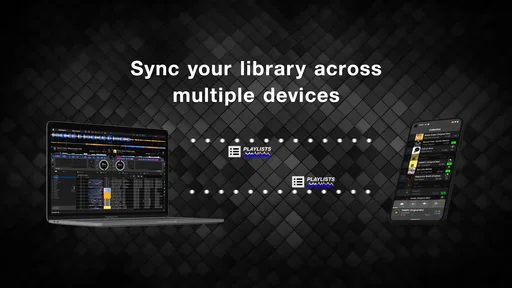
And let’s not forget about the cloud library integration. This means you can access your music library from any device, so you never have to worry about leaving your favorite tracks behind.
Choosing it over a regular music player
A standard music player is better when you simply want to press play and listen without managing a mix. This app makes more sense when you want to compare tracks, practise transitions, or add a little performance intent to a playlist. That difference also explains why it may not be the right choice for every listener: if you rarely want to touch the music once it starts, the extra DJ controls are unnecessary friction.
Compared with a desktop DJ program, the mobile version’s strongest advantage is convenience, not a larger workspace. You can test an idea while away from your computer, but a desktop screen or hardware controls are more comfortable for long practice sessions and precise, repeated adjustments. I’d use the phone version as a sketchpad for track pairings, then move to a more substantial setup if performing or detailed preparation becomes the goal.
For an everyday example, imagine you’re visiting a friend and someone asks you to put together a relaxed playlist for the evening. Before people arrive, you can try a few handovers between familiar songs and find combinations that keep the mood steady. That is a realistic job for a phone: quick experimentation and a little shared listening. It is less suitable if you need a dependable, hands-off playlist for hours, since a DJ app rewards active attention rather than replacing ordinary playback.
One useful habit is to mark down which pairs worked and what made them work: similar energy, a clean instrumental passage, or a point where one track naturally gives way to the next. This turns casual practice into something you can build on. It also prevents a common beginner mistake—assuming a mix failed because of the app when the real issue was choosing two songs that ask for different moods.
Questions worth considering before you commit
Do you need paid features to find out whether you enjoy it? I’d start with the free app and learn the basic workflow before considering an in-app purchase. The listed purchases range from $2.99 to $49.99 per item, so check what a particular purchase includes and whether it solves a need you actually have. There is little value in paying for more options before you know whether you enjoy practising transitions at all.
Can you use it away from home? Its mobile format makes spontaneous practice appealing, and the app is intended for mixing from playlists. Still, I’d prepare the music and test the setup before relying on it for a get-together. Familiar tracks, a charged phone and headphones for checking the blend make for a calmer first attempt than trying to improvise everything in front of friends.
Is it suitable if you have never DJed? Yes, as a starting place for learning how track choice and handovers work, especially if you begin with simple songs and focus on one adjustment at a time. Is it a substitute for a full performance setup? I wouldn’t treat it that way. The phone is convenient, but anyone who wants tactile controls, a broad workspace or a more deliberate live-performance rig should compare it with dedicated hardware and desktop tools.
AlphaTheta Corporation’s app has reached version 4.6.4.15, and its free entry point makes it easy to explore without turning the first session into a purchase decision. I’d still keep expectations practical: a familiar interface can make starting less daunting, but a good mix comes from listening and making thoughtful choices. That is the part worth practising, whether you stay on a phone or eventually move to another setup.
Why It’s Worth Your Time
So, why should you give DJ rekordbox – DJ App & Mixer a try? Well, it combines advanced features with user-friendly design, making it accessible for beginners while still offering depth for seasoned DJs. The app supports a variety of audio formats, so you can work with almost any track you have.
Plus, with its regular updates and community support, you’re always getting the latest features and fixes. It’s like having a team of experts at your fingertips, ready to help you craft the perfect set.
Final Thoughts
In a world where music is life, DJ rekordbox – DJ App & Mixer stands out as a must-have tool for anyone looking to explore the world of DJing. It’s fun, versatile, and powerful enough to handle all your mixing needs. So why not give it a spin and see what you can create? Trust me, once you start, you won’t want to stop.
Verdict
Strengths of DJ rekordbox – DJ App & Mixer
- Intuitive interface for seamless mixing.
- Wide range of effects and transitions.
- Cloud library sync across devices.
- High-quality audio output support.
- Customizable layouts for personal workflow.
Limitations of DJ rekordbox – DJ App & Mixer
- Requires subscription for full features.
- Steep learning curve for beginners.
- Limited free version capabilities.
- Occasional connectivity issues.
- High battery consumption during use.
Similar Picks in This Category
View All
YouTube Music
Google LLC4.4

Samsung Music
Samsung Electronics Co., Ltd.3.8

Spotify: Music and Podcasts
Spotify AB4.3

JioSaavn - Music & Podcasts
Saavn Media Limited4.3

Lark Player:Music Player & MP3
Lark Player Studio - Music, MP3 & Video Player4.6

StarMaker: Sing Karaoke Songs
SKYWORK AI PTE. LTD.4.3
Frequently Asked Questions
What features does DJ rekordbox offer for mixing music?
DJ rekordbox offers a comprehensive suite of features for mixing music. It includes advanced track analysis, beat syncing, and quantization for precise mixing. Users can access a wide range of effects and samplers, as well as an intuitive interface for seamless track management. The app also supports multi-deck mixing and performance pads.
Is DJ rekordbox compatible with all DJ controllers?
DJ rekordbox is compatible with a wide range of DJ controllers, especially those from Pioneer DJ. It supports plug-and-play functionality, making it easy to connect and start mixing. However, it's essential to check the specific model compatibility on the rekordbox website, as some features might be limited on non-Pioneer controllers.
Does DJ rekordbox require an internet connection to function?
While an internet connection is needed for initial downloads, updates, and certain features like cloud library synchronization, DJ rekordbox can function offline for mixing and performance. Once your tracks and settings are loaded, you can use the app without being connected to the internet, making it reliable for live performances.
What are the subscription options for DJ rekordbox?
DJ rekordbox offers several subscription tiers, including a free version with basic features. Paid plans unlock advanced capabilities like DVS control, cloud library sync, and more extensive effects. These subscriptions are available on a monthly or annual basis, allowing users to choose a plan that best fits their needs and budget.
Can beginners use DJ rekordbox effectively?
Yes, DJ rekordbox is designed to be user-friendly for beginners while offering advanced features for professionals. The app includes tutorials and a straightforward interface that helps new users learn the basics of DJing. Beginners can start with the free version to explore mixing and gradually unlock more features as they become more confident.
